Friday, April 30, 2010

South Magazine And Other Happenings.


It always seems like I begin every blog post with a statement about how long its been since I've posted last. This time is no different. Its been a while.

Anyway, things have been happening and I'm eager to share them with you!

I've been shooting for The South Magazine for a couple months now and have been enjoying it greatly! Most of what I do for them is "scenes" photographs, which is essentially going to parties, dinners, events, and fundraisers to photograph whoever is there so that The South can put them up on their website. This is The South's way of staying up to date on who is attending what, while also allowing the public to do the same in addition being able to purchase prints. If you follow that previous link you can look through the galleries and find several that I've photographed. On top of working scenes, I was able to photograph my first editorial piece just the other day. I can't give out any specifics about what the article is about, but I'm excited to see it in print.

Classes have been going well for the most part. I'm still loving the heck out of Large Format. I'll definitely have to buy a 4x5 outfit whenever I have the money. I'm looking at Horseman and Toyo, but its so far in the future it doesn't really matter what I'm looking at at this point. Midterms have come and gone, and I need to start thinking about my final. And when I say I need to start thinking about my final, I mean I need to start really racking my brain because I have a one page formal proposal due Monday.

In Project seminar I'm working with the 4x5 Fujifilm instant films FP 100-C and FP 100-B. The tones the FP 100-C put out are beautiful and I love 'em to death, but the film is ridiculously expensive. I've already spent over $100.00 on just a few packs of film. The results are fantastic, though. Here is an example self portrait. I think I'll be shooting similar portraits for the rest of the quarter. The only problem is that I need new people! If you're in the Savannah area and wouldn't mind posing for a hot second send me an E-Mail. I can't promise you the print but I'll surely scan it and give you a digi copy.

As it turns out, my light meter has been giving me false readings. I've had a Sekonic L-398A meter for the past year and a half(?). It would be a great meter if it would work. Its an analog meter with a amorphic silicon photo cell so that it never needs batteries. It doesn't do flash readings but it does do incident and reflected readings. Its easy to read and its relatively inexpensive, especially when considering how much one would be saving without having to buy batteries. But, of course, the unavoidable problem here is that it doesn't work. I've had two of these meters and have experiences problems with both. The first one I got had an issue with the needle. It had WAY too much play, so if moved the meter at all the needle would shift dramatically. And no, I wasn't moving the meter from pitch black to direct sunlight. The second one I got I've had for a while. I think it was working fine for several months, but I never did truly test it to see if it was giving me accurate readings. I guess this would have been a good idea, but its a light meter and I'm supposed to trust it, right? Anyway, I was noticing significant underexposure on my LF negatives and it turns out the meter was giving me false readings. Boo.

I tried to order a Sekonic L-308S Flashmate from Mac-On-Campus, but little did I know it was on back order, so I've been waiting for a while. BTW, if you're a student and you need to buy any kind of photographic equipment, check out MOC. Their prices are pretty impressive.

I guess I'll go ahead and wrap things up. Feels good to be writing again. Expect more posts more often. 'Till next time.

War Eagle.

Monday, March 29, 2010

Gettin' Busy and Photoshop's Black Magic


Spring quarter has started for me here at SCAD and things are in full swing. I'm taking Project Seminar 1, Large Format (SWEET), and 20th Century Art. Large Format looks to be really awesome, but I'm nervous about Project Seminar and I'm not sure quite yet what to think of 20th Century Art. I'm uneasy about Project Seminar because we have SO MANY CRITIQUES. We have to have around 12 new prints every week and I'm not used to shooting that many images in that time frame. What's worse is that the project and process I'm working on is quite time consuming. So yes. Scary. I'm loving Large Format and I really think I'd like to use view cameras after the class. I guess my biggest problem is staying proactive and not wasting time, 'cuz that's something I do so very well.

Anyway, on to the Industry. Adobe announced Photoshop cs5 a few days ago. This is planned obsolescence at its finest, but hey. Whatever.  The new version has cool stuff like 3d brushes and a few other cool features, but the most notable of which is the Content Aware feature. Just watch the video.

Insane, right? Apparently now if a photographer missed a shot he can wake up content aware which will then read his mind and compose a completely new photograph. That's a little far fetched, but this is some of the craziest stuff I've seen. The algorithms and mathematics behind this has got to be immensely complicated.

On another note, Adobe also released a second beta version of Lightroom 3. Here's hoping its going to be awesome.

Monday, February 15, 2010

Fujifilm's new baby. GF670


This is why I love Fujifilm. This is Fujifilm's new FILM camera, the GF670. The medium format camera is obviously a folding model, and is aimed at professional photographers. Fujifilm plans to release it at PMA this year.

Two thumbs up for Fujifilm for going against the "grain". This is a great pillar for holding film up as still being available in the near future. Its wonderful that a MAJOR player in the photo industry is still  manufacturing and developing film, but is also making NEW film cameras for PROFESSIONALS. This camera isn't some Polaroid replacement for the hipster masses, although Fuji does have one of those (which is cool in and of itself), but this is a brand new classic style film camera aimed at working professionals. If this isn't a bold statement about how film still has a role in the professional workplace, I don't know what is.  Fujifilm has also been taking out whole page adds in high end photography magazines advertising film and posing the question, "In a digital age, is it possible to have a renaissance in film?". Fujifilm certainly thinks so, and I'm one hundred percent behind them.

Sunday, January 24, 2010

More Home Studio Tips- Black Background

Yes, I believe this is going to be the second of several home studio posts.

When I first started, I saw all of these great studio photographs that I wanted to imitate, but I really had no idea how to do it. I had to play a while before I really understood how to efficiently achieve a completely black background without underexposing. Sure, anyone can take a picture of anything and Photoshop a black completely around it, and I guess there's nothing wrong with that, but getting it right or at least MOSTLY right in camera will look MUCH better than the 'shopped version, guaranteed. So, here are a few simple steps to achieve what looks to be difficult.

Obviously, the first thing you need is space. There isn't an end all be all space requirement, but you need enough to be able to place your subject as far away from the black background as possible. Some people may need more space than others depending on what they intend to be photographing. Lets just say that putting this in a walk in closet would be a bit difficult unless your photographing watches or other small objects.

After space, the next logical step would be a black fabric to photograph. Professional grade backdrops can be quite expensive because they are made of a special material that is essentially a black hole. Black felt or muslin is probably just as good, and its cheap. Again, the amount of fabric you need depends on what you're photographing. If you're shooting small objects, then you probably only need a couple yards. If you're photographing people, then you would need a lot more fabric. Ideally, when the fabric is on the wall, it needs to be about 7.5 ft tall to accommodate for a taller individual and so that it leaves a little headroom. In addition, it needs to come out from the wall on the floor so if you want to do a full-length shot there isn't an abrupt background change at the subject's feet. Now, if you're only planning on doing headshots you don't need this much, but, again, its not expensive.

Mounting the fabric can be done in several different ways. The way that I've always done it is simply tack it to the wall. Not hard. If you don't want to do that, you can build a background stand out of PVC pipe. You can get that for cheap at your local hardware store.

When shooting, place the subject as far in front of the background as practically possible. Reason being, you want as little light as possible hitting the background. Yes its felt and yes its black but it is a physical object and it will reflect light. You can shoot the subject close to the background if you want, but that does come with some lighting limitations, so usually its just easier to move away.

You can do all this, or simply buy a simple setup like this one. This is actually a really good deal, but doing it yourself is even less expensive.

Next up... Completely white background!

Monday, January 11, 2010

After a short hiatus I am back in business. Classes have started and I'm getting into the swing of things. This quarter I'm taking Color Technique, Shakespeare, and Survey of Computer Arts Applications.

And now, on to the post!

My Fiance has decided to try her hand at photography, and is very interested in studio lighting. Usually, when people hear the words "studio lighting" they start to shake their heads because they know that the equipment used is so expensive. Well, they're right, but it doesn't HAVE to be. I'm sure many of you have heard of Strobist. For those of you that haven't, Strobist is a blog that is dedicated to wireless off camera flash photography. The people that subscribe to this blog and utilize such equipment call themselves "Strobists". Generally, the Strobist starter kits, which can be found at a great online store called Midwest Photo Exchange are fantastic multi purpose systems, and will work with most any camera with a hotshoe. The starter kits include 1 Lumopro LP120 flash, an air cushioned light stand, umbrella, wireless radio trigger system, and a gaggle of other goodies that will help along the way. This is a GREAT way to get started using off camera lighting and is relatively inexpensive at around $200.00.

BUT, neither my Fiance nor I wanted to spend that money so early on in the game, so we decided to go a different route and use hotlights. Hotlights are so named because of the amount of heat they emit when left on for an extended period of time. These can be lamps or clip lights, or anything of that persuasion. Cliplights are great because they can be mounted almost anywhere, and are ideal for things like hairlights. Hotlights are a great alternative to flashes because they are much MUCH less expensive, they are quite versatile, and chances are there are several usable ones already in your home!

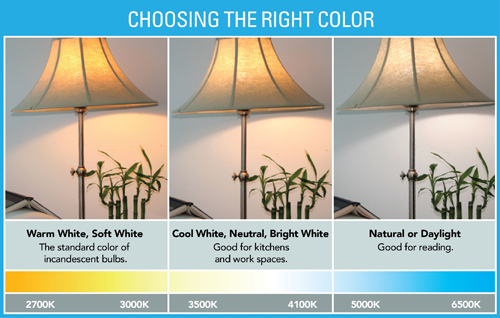
Because we didn't have many already, and we wanted to have a lot of options, Tiffany set out to Walmart to find a few utility cliplights and bulbs for those lights. The bulbs are immensely important because the temperature of the light will change dramatically depending on the bulb you buy. A standard Tungsten bulb will emit a very orange light, while an LED bulb (looks like alien technology) will emit a very cool (temperature) white light. These can be used independently from one another or in unison to create some very interesting results.

This brings me to the original purpose of this post. I am a TWIP (This Week In Photography) listener, and on one of the shows I heard mention of a homemade LED light panel. Apparently, LED based continuous light is increasing in popularity due to the amount of light emitted, and the power saving efficiency of the bulbs, which makes these systems also ideal for video use. As of right now, professional LED light systems are quite expensive, but are coming down in price quite quickly. Even so, making a homemade light panel will cost pennies compared to the real thing, and they can change your lighting in an instant. The best part is that its mind numbingly easy.

Here's what you need

-2 large, white, foam core presentation boards

-2 or more strands of LED Christmas lights

-1 roll of Duct Tape

-1 screw driver

The first step is to poke holes through one of the boards with the screwdriver. They don't have to be perfect, so long as the led bulb can be pushed through. The most efficient arrangement is in rows, but there's nothing wrong with getting creative. After all of the holes are punched, simply push the led bulbs through the holes. After that's finished, its a good idea to make sides for your panel so the light is being led in one direction instead of being lost out to the sides. This is where the duct tape comes in. Cut the other board in to long pieces and tape them to the edges of the light panel so that they are protruding in the same direction as the bulbs are facing.

The finished product should look something like this.


Putting tin foil on the sides helps to reflect light with greater efficiency.

Here is an example image taken with the panel. The panel was on a painting easel camera right with a reflector behind the pineapple camera left.
Pineapple1 (by Nach0o)

And there you have the homemade light panel. I think there will be more posts to come about home studios...

I also may upload a video in a few days to demonstrate.